For agencies
Watch every client's domain expiry. Without managing the domain.
You keep clients online and remind them before a domain lapses. You don't want the registrar account, their DNS, or the transfer liability. DomainExpiryCheck sits exactly there: read-only monitoring and alerts, and nothing you have to own.
Free for 3 domains. No card, and no registrar access.
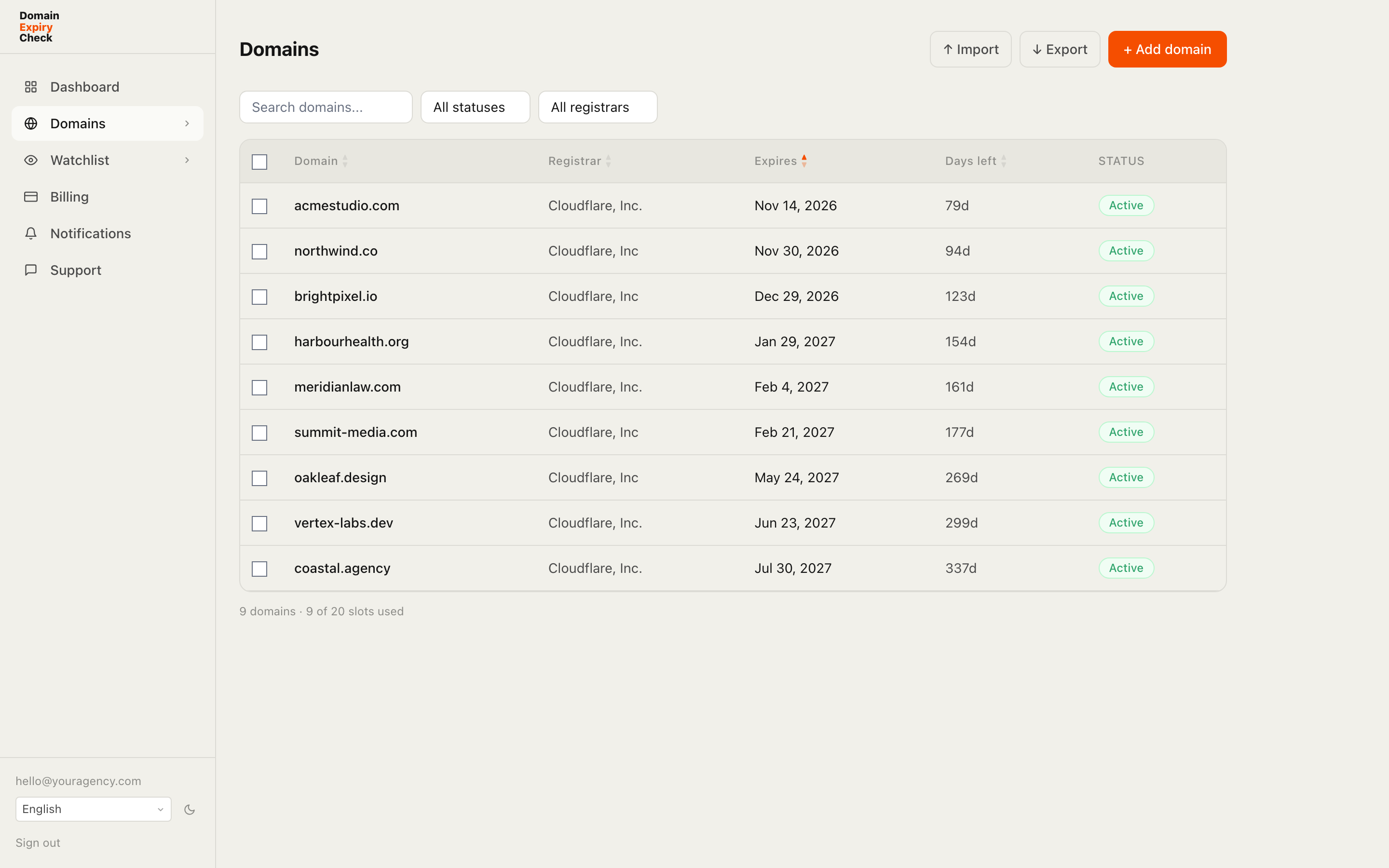
Agencies get pulled into domain management they never asked for. A client forgets to renew, the site goes dark, and it becomes your emergency - even though the domain was never in your name. Monitoring closes that gap without moving ownership. You track the expiry dates, you get the early warning, and the client renews at their own registrar. You stay the trusted advisor, not the account holder.
You monitor, they own
We read public WHOIS and RDAP records, the same data anyone can look up. No registrar logins, no API keys, no access to a client's account. Ownership, renewals, and DNS stay with them.
Every client in one place
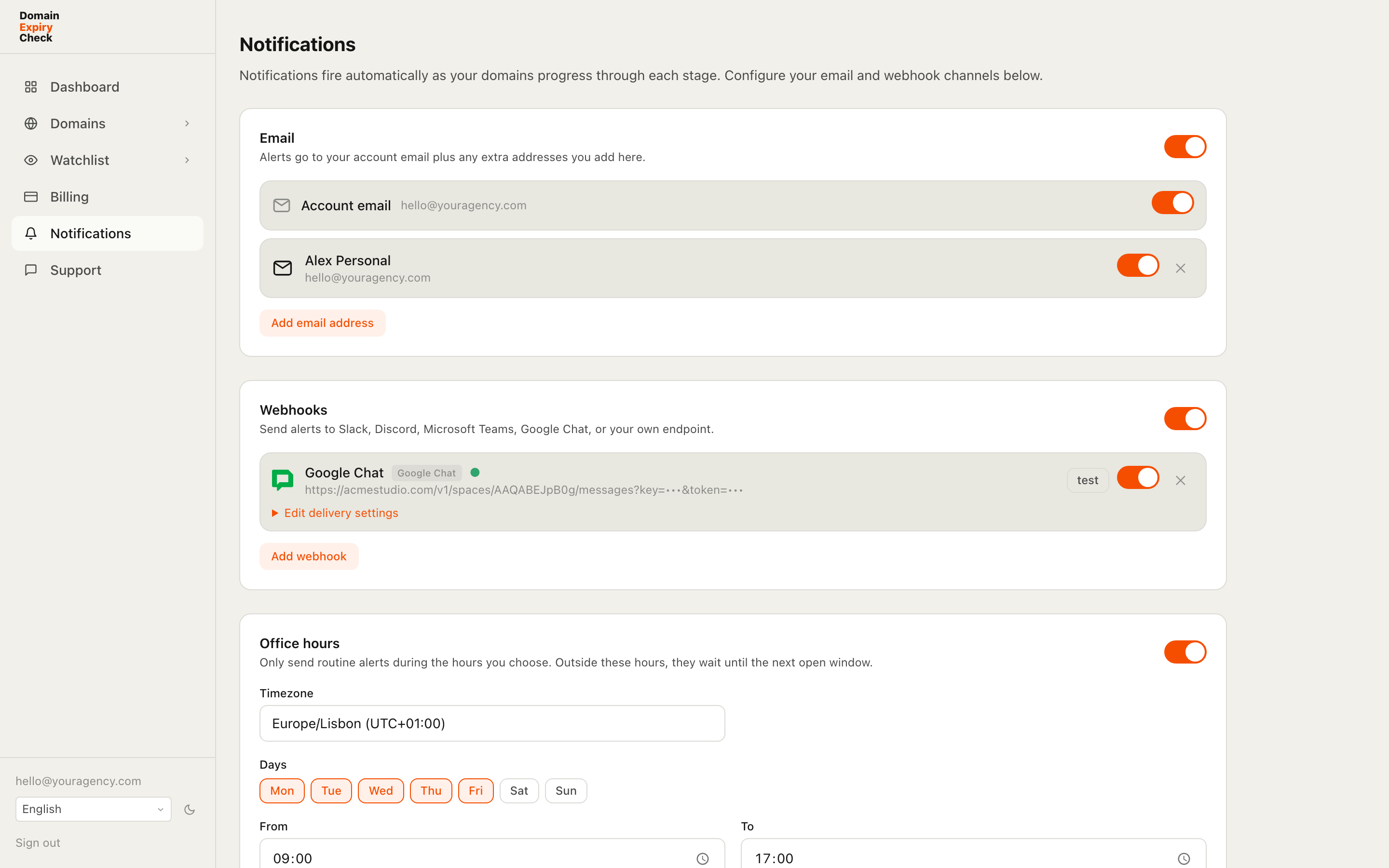
Tag domains by client, then filter and sort them in one dashboard. Import up to 500 at once from a spreadsheet, and export any filtered list to CSV when a client wants a status report.
Alerts where your team already works
Send alerts to Slack, Microsoft Teams, Discord, Google Chat, or your own webhook. Set office hours so routine alerts arrive during the workday, while drop-critical ones can still break through.
Reminders that actually land
Fixed reminders at 30, 14, 7, 3, 1, and 0 days before expiry, plus a Monday digest of everything due in the next 30 days. Forward the warning to the client and your job is done.
The agency position
Watch, remind, stay out of the registrar
The value is in the reminder, not the login. You don't need control of a domain to keep a client from losing it. You need to see the expiry coming, and tell the right person in time.
Read-only by design
Every check uses public registry data. There's nothing on your side to breach, and nothing for a client to revoke. You can't change a record you never had access to.
Organized per client
Tags and filters keep fifty clients tidy. A CSV export turns a filtered view into a handover document, or a renewal reminder you can send as-is.
Routed to your team
Alerts reach the channel your team lives in, on the schedule you set. The account manager sees the 30-day notice, and nobody gets paged at 2am for a routine warning.
Notifications
Built for how a team gets notified
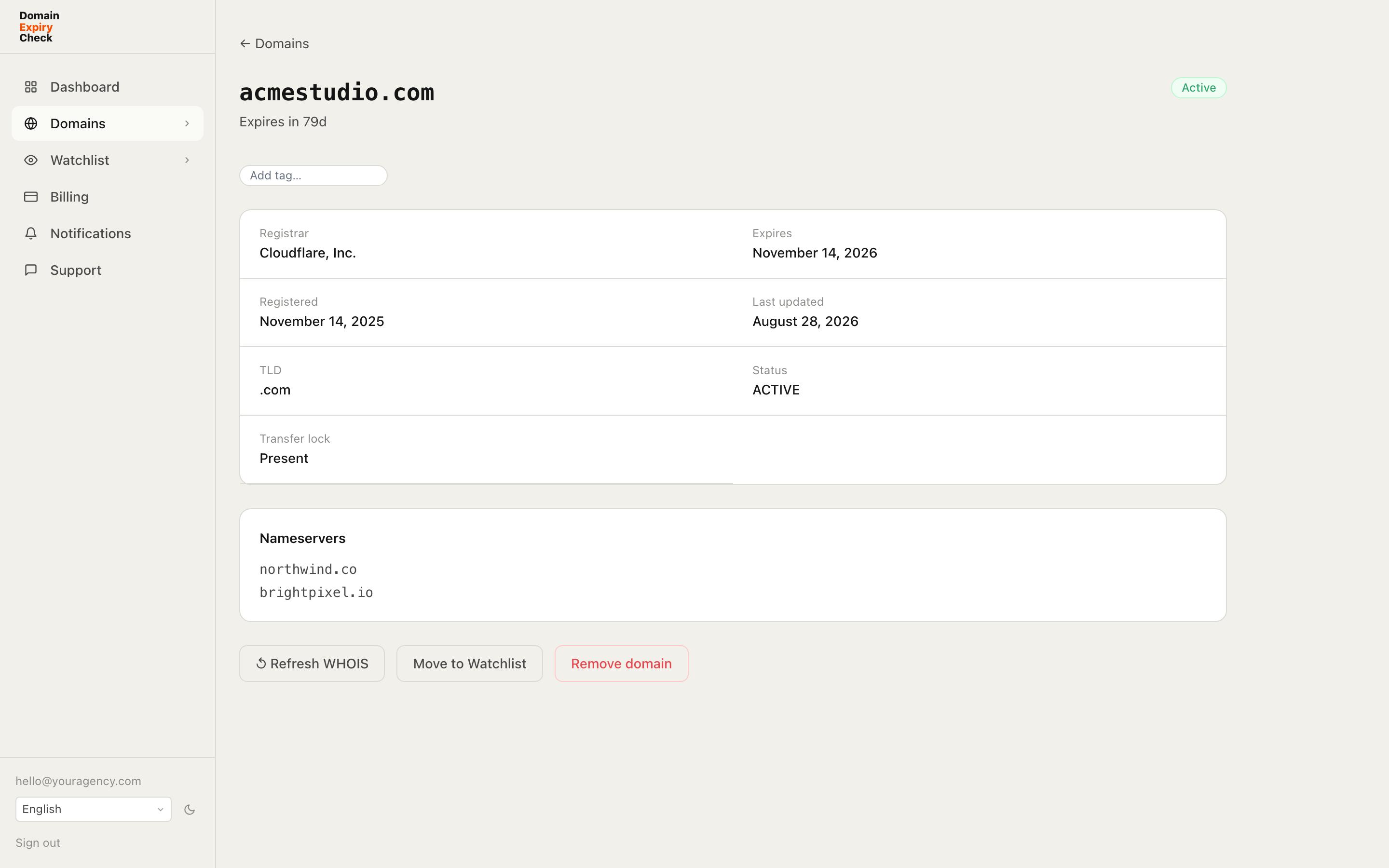
One client portfolio, many people who need to know. Route each alert to the right place, on the right schedule, without the noise.
Your team's channels
Slack, Microsoft Teams, Discord, Google Chat, or any webhook, each with formatting built for it. Email goes to your account address plus any extra recipients you add.
Only the alerts that matter
Choose which events each channel receives, scope a channel to owned domains or the watchlist, and @mention the team on critical ones.
On your schedule
An office-hours window holds routine alerts to working hours in your timezone. Drop-critical alerts can still break through when you want them to.
A weekly digest
Every Monday, a summary of everything due in the next 30 days, sent to your enabled email addresses and webhook tools.
Built for people who manage sites, not registrations
Web and design studios, hosting resellers, MSPs, and marketing agencies all end up watching client domains they don't own. If you keep clients' sites running and want the expiry safety net without the registrar responsibility, this is for you. Track a few on the free tier, or up to 500 on the Agency plan.
Agency questions, answered
Do you need access to my clients' registrar accounts?
No. We read public WHOIS and RDAP records, the same lookups anyone can run. You never share a client's registrar login, and we never ask for one.
Am I responsible for renewing or transferring the domains?
No. You get the expiry alerts, and the client renews at their own registrar. Monitoring gives you the early warning without putting the domain, or the liability, in your hands.
Can I organize domains by client?
Yes. Tag each domain by client, then filter and sort the dashboard by that tag. You can export any filtered list to CSV to hand a client a clean status report.
How many client domains can I track?
Three on the free tier, and up to 500 on the Agency plan. Larger portfolios can ask us about Enterprise. Every plan uses the same read-only monitoring.
Related: How domain monitoring works · Bulk domain checker · Domain expiry reminders